Session tools
Fonts tab
Note: You only have access to these configuration options if your Administrator has
granted you permission.
The Fonts tab enables you to customize the host fonts used to display text in your sessions. Any changes you make to the host fonts are applied only to the selected session. Newly-created sessions always use the default fonts and mappings.
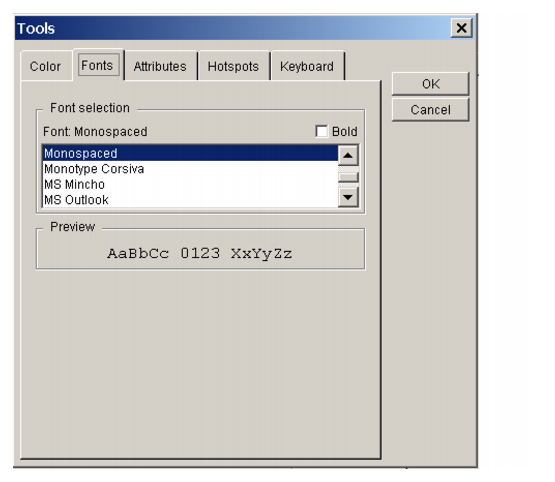

Configuration options
Bold
Select this option to bold the chosen font.
Click a font to change it
Click the font you want, and then click OK.
To open the Fonts tab
In a session
| 1. |
Start the User Workspace. |
| 2. |
Select an existing session and click Properties, or click New. |
| 3. |
Click the Configuration tab. |
| 4. |
Click New to define a new session, or
Select an existing session and click Tools. |
| 5. |
Click the Fonts tab. |
In a session
| 1. |
Start a session. |
| 2. |
On the Tools menu, click Display. |
| 3. |
Click the Fonts tab. |